Text to Panorama AI Generator
Pure text-to-panorama. Describe a scene; get a fully spherical equirectangular panorama in minutes.
Pure text-to-panorama, optimized for equirectangular
Generic image models don't understand 360°. We add the panorama-specific glue so the AI knows it's generating a sphere — seamless left-right wrap, smooth poles, correct horizon placement.
Prompt-only
No reference image needed. Just describe the scene you want and hit Generate. Want to inherit a real photo's lighting or palette instead? Switch to Photo to 360° anytime.
Scene presets
Six one-click presets — living room, beach, mountain, mall, street, custom — seed the prompt with panorama-specific framing so you get a coherent sphere even from a two-word description.
Optimized prompt engineering
We rewrite your prompt behind the scenes with equirectangular framing cues, seam-continuity hints, and pole-safe composition guidance so the AI knows it is producing a full 360° sphere, not a flat image.
Equirectangular output
Every generation produces a standard 2:1 equirectangular PNG ready for the 360° Panorama Viewer, VR headsets, or any virtual tour platform. For 3D lighting work in Blender or Unreal, use the AI HDRI Generator instead.
Up to 4K resolution
Download at 1K, 2K, or 4K. The 4K equirectangular (3840×1920) hits the sweet spot for VR headsets and desktop viewers without exceeding GPU texture limits on most devices.
Commercial license
All paid-plan outputs come with a commercial use license — use them in client work, game assets, virtual tours, or ad campaigns without additional clearances.
Text-to-panorama vs photo-to-360 vs 360° camera
Three ways to get to a spherical panorama. When to use which.
Text-to-panorama is the fastest path when the scene does not exist yet: game concepts, fictional VR spaces, architectural moods, product backdrops, or any environment you want to invent from words.
Best for
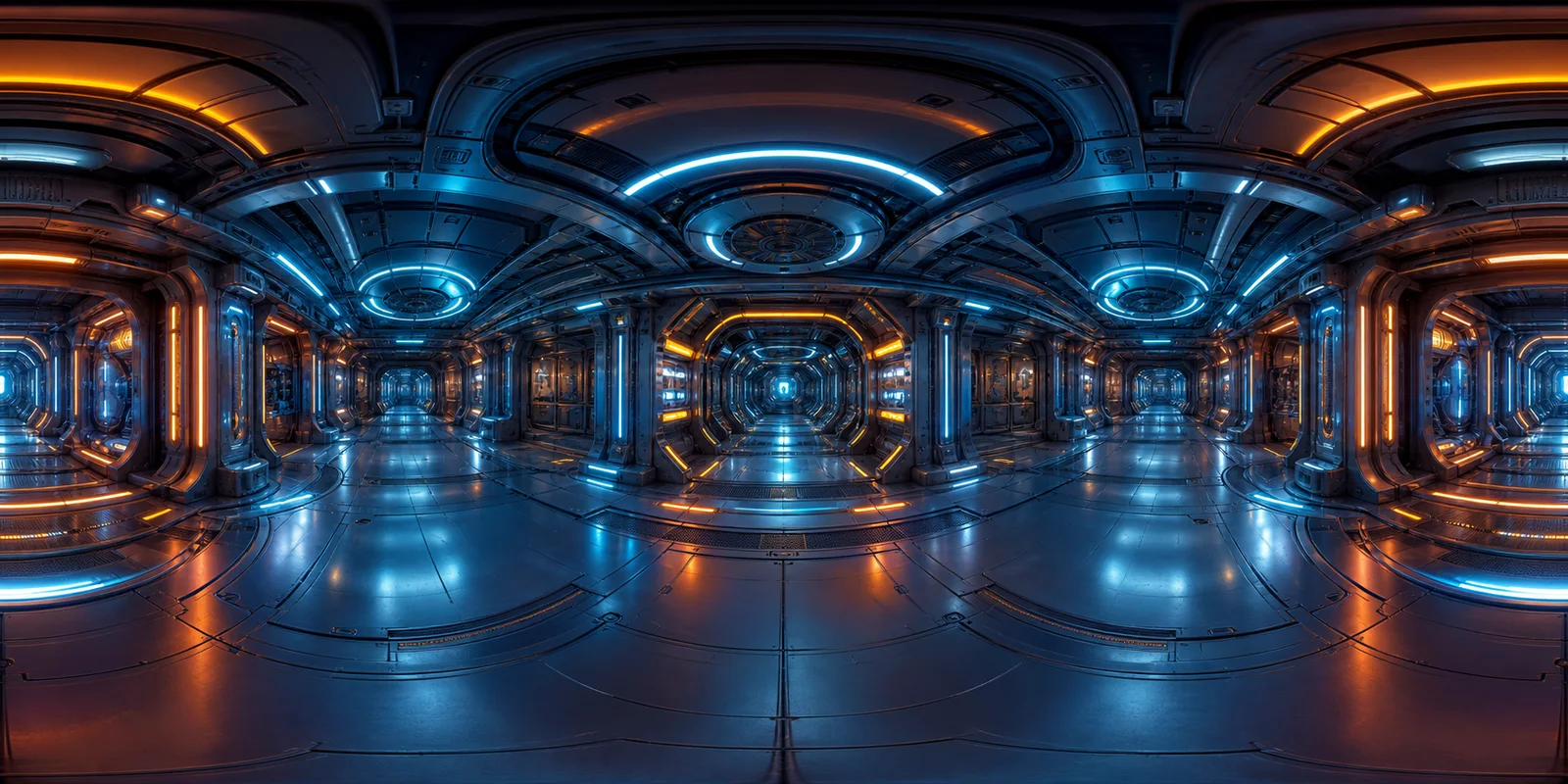
Prompt-only scenes where there is no source photo: sci-fi vistas, fantasy interiors, mood boards, game skyboxes, and pre-construction atmosphere studies.
Use another tool when
Use Photo to 360° if you need to preserve a real photo's light and palette. Use a 360° camera when physical geometry must be accurate.
Typical workflow
Write a 10-30 word prompt, generate a 1K or 2K preview, inspect it in the embedded viewer, then export 4K when the composition works.
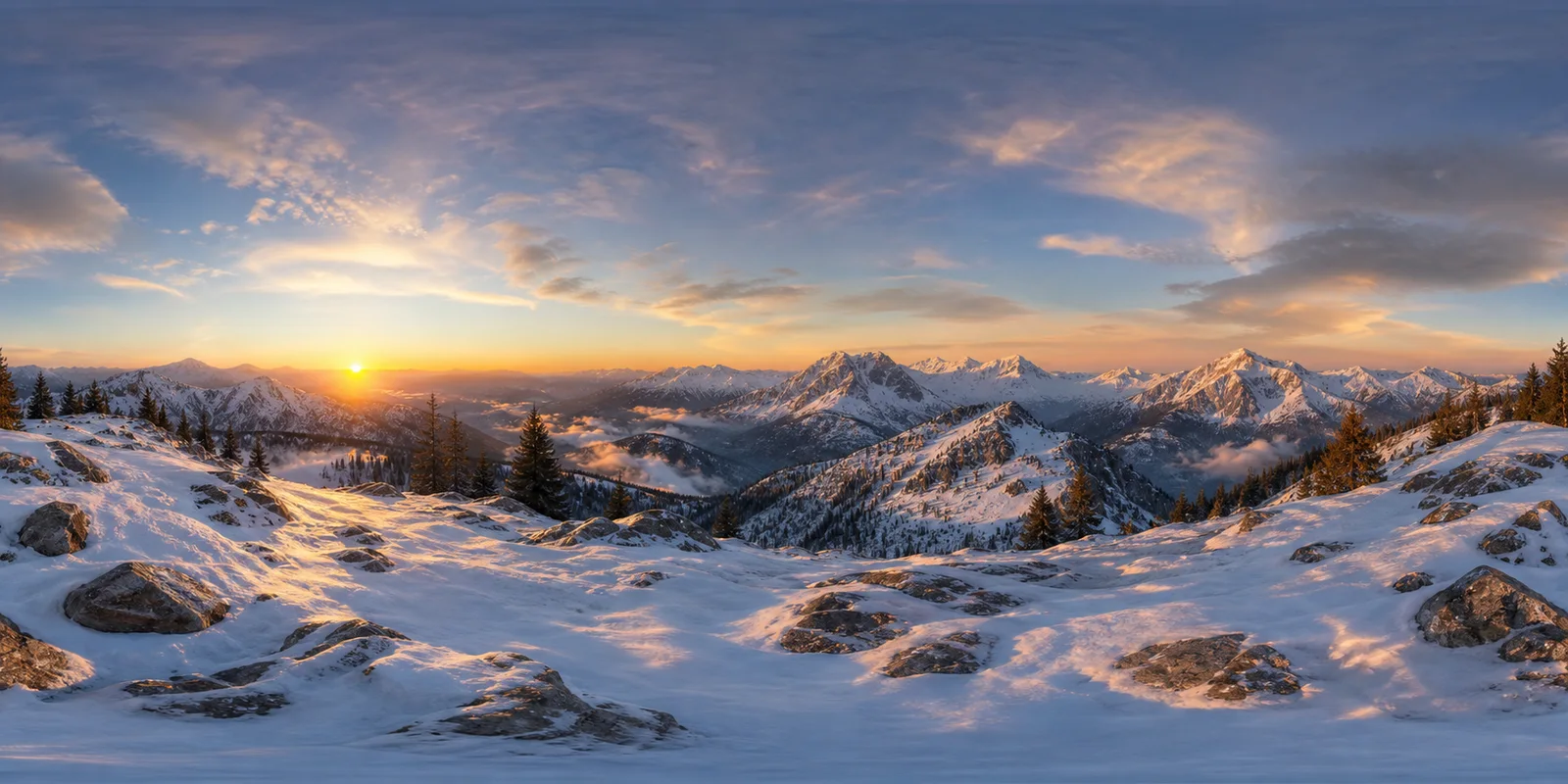
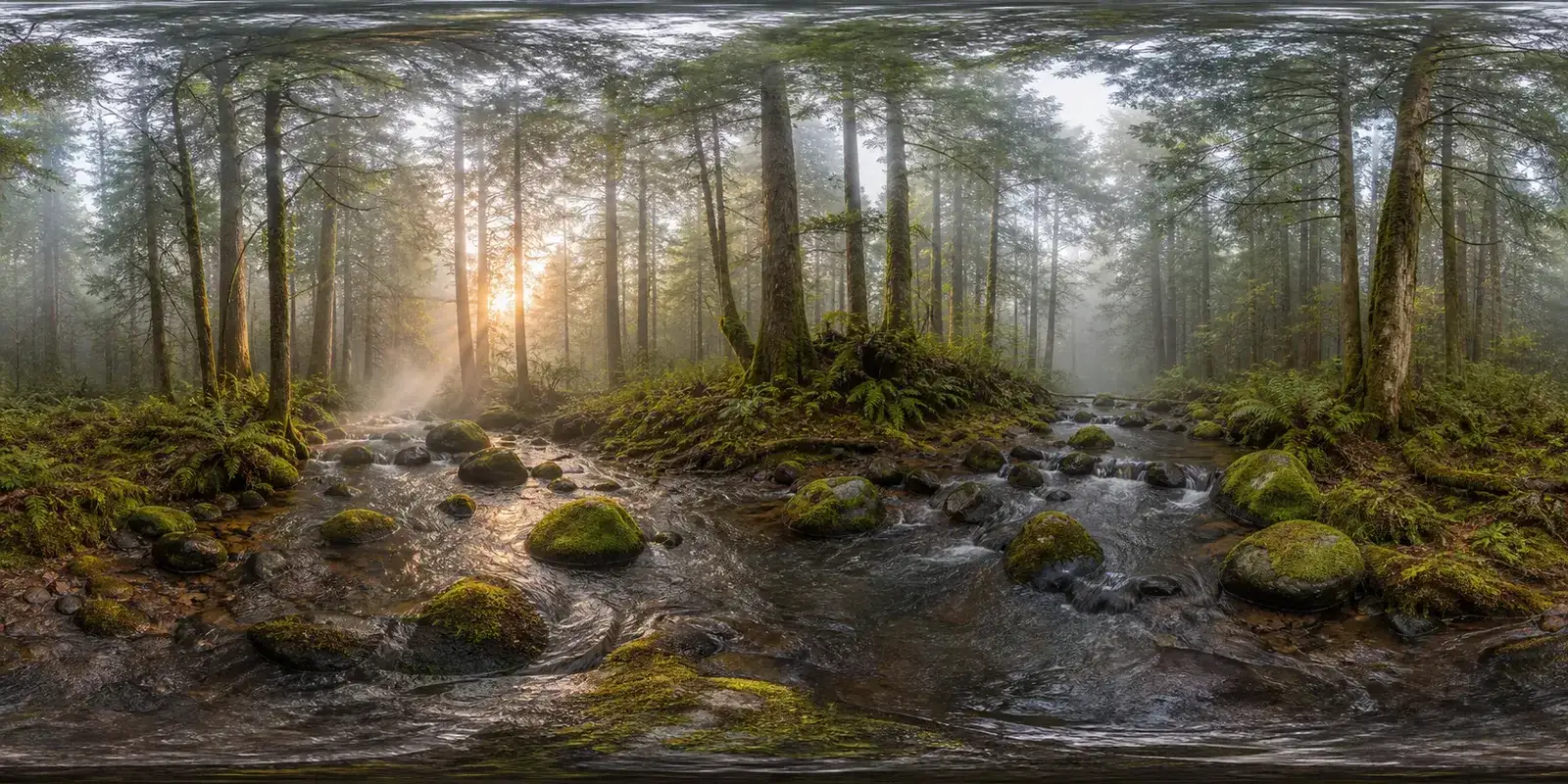
Example outputs from prompts
Real 2:1 equirectangular results — drop these into any 360° viewer or VR pipeline.
How AI text-to-panorama works
Four steps from a text prompt to a spherical panorama, without a reference photo. The prompt is sent to a third-party AI service platform for generation.
Pick a preset or describe your scene
Six one-click presets (living room, beach, mountain, mall, street, custom) seed the prompt with panorama-specific framing. Or skip them and type your own description directly.
Refine the prompt
Aim for 10–30 words. Mention lighting, time of day, weather, and key objects. The preset adds equirectangular framing automatically — you focus on the scene content.
Hit Generate and track progress
The AI service generates your panorama from the prompt and any reference photos. The page updates the task status while you wait. Generation time varies with resolution and provider load; inspect the seam and poles when the result is ready.
Preview and download
The result loads directly in the embedded 360° Viewer. Download 1K / 2K / 4K equirectangular PNG, or copy the share link to send the hosted version to anyone — no account required to view.
Text-to-panorama AI — frequently asked questions
How long should my prompt be, and how detailed?
Aim for 10–30 words. Mention lighting, time of day, weather, and key objects — for example: "golden hour alpine meadow, wildflowers in the foreground, snow peaks behind, soft haze". The preset handles panorama-specific framing automatically, so you focus on scene content. Going beyond 60 words causes the model to start ignoring tail tokens; if your scene is complex, split requirements across separate generations and pick the best result. For a deeper breakdown of prompt patterns, see How to write 360° panorama prompts.
Why does my output have weird poles?
The projection stretches detail near the top and bottom, and the model can also introduce artifacts. Keep important objects near the horizon and inspect the poles in the viewer. If defects remain, adjust the prompt and generate again.
Should I use text-to-panorama or photo-to-360?
Use text-to-panorama when you only have an idea — "a Kyoto temple courtyard at dawn". Use photo-to-360 when you have a single reference photo whose mood, lighting, or palette you want the panorama to inherit.
Can I use the output commercially?
Yes on paid plans. Every panorama generated on a paid credit plan comes with a commercial use license — game assets, virtual tours, client presentations, or ad backgrounds are all covered. Free-trial outputs are for personal and evaluation use only.
What can I do with the panorama after downloading?
Plenty. Load the equirectangular PNG into a 360° viewer for an immersive walkthrough. Drop it into Blender or Unreal Engine as an environment texture, import it into Unity as a skybox, or use it in Three.js and A-Frame web scenes. Embed it on your own site via our /works share page, or copy the hosted link to send a live 360° preview to clients — no viewer app required.
More 360° tools to pair with text to panorama AI
- 360° Panorama Viewer
Open and inspect any equirectangular panorama online — drag to look around.
- Photo to 360° Converter
Start from a real photo instead of a text prompt.
- Cubemap Generator
Convert your panorama into skybox-ready cubemap faces.
- AI 360 Product Video Generator
Turn one product photo into a 5- to 15-second 360° spin video for your store.